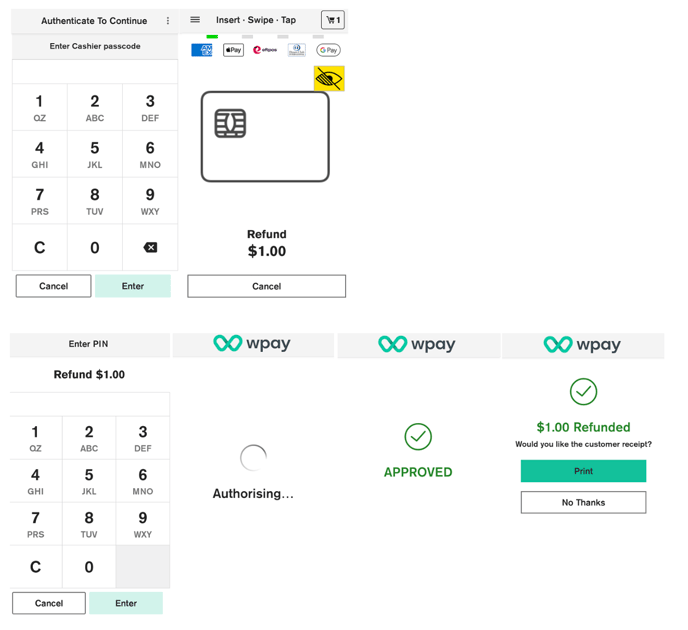
To process Refund:
- Enter the refund amount into the POS.
- Terminal will display the refund amount.
- Enter a passcode.
- Customer presents card or device and enters their PIN (if required).
- Your terminal processes the refund and then displays Approved or Declined.
- The terminal may prompt for signature.
- If a card is inserted, the terminal prompts to remove the card from the chip card slot.
- Merchant receipt prints.
- Customer selects preferred receipt option.