Pre-Auth provides a mechanism to allow merchants to be able to authorize the future debiting of a customer account/card. This feature is primarily used in hospitality or other reservation environments. Pre-authorisation transactions can only be performed on scheme credit & debit cards only where you have been authorised to do so.
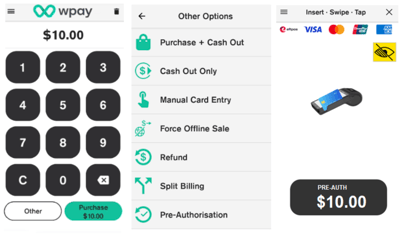
To process Pre-Auth transactions
- Enter the transaction amount
- Tap Other
- Select Pre-Authorisation
- Customer presents card
- Enter PIN if applicable.
- Merchant receipt prints
- Customer selects preferred receipt option
- Pre-Auth transactions are accessible in the Order History screen.
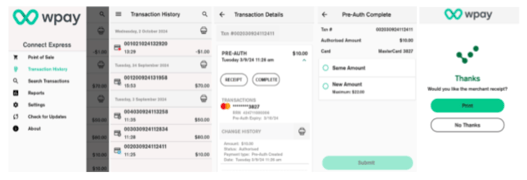
Pre-authorisation completion
Completion is used to complete an earlier pre-authorisation transaction and charge the cardholder with the final amount transaction.
To process Completion with same amount:
- Click the Menu icon and then Order History
- Under Pre-Auths Tab, select the Pre-Auths transaction that needs to be completed.
- Click on complete button in Transaction Details screen.
- Select Same Amount or New Amount ( Max variance is 10%)
- Once transaction has been processed, customer selects preferred receipt option receipt.
- After Pre-authorisation operation is completed, Order detail screen is shown with only
- Receipt option.