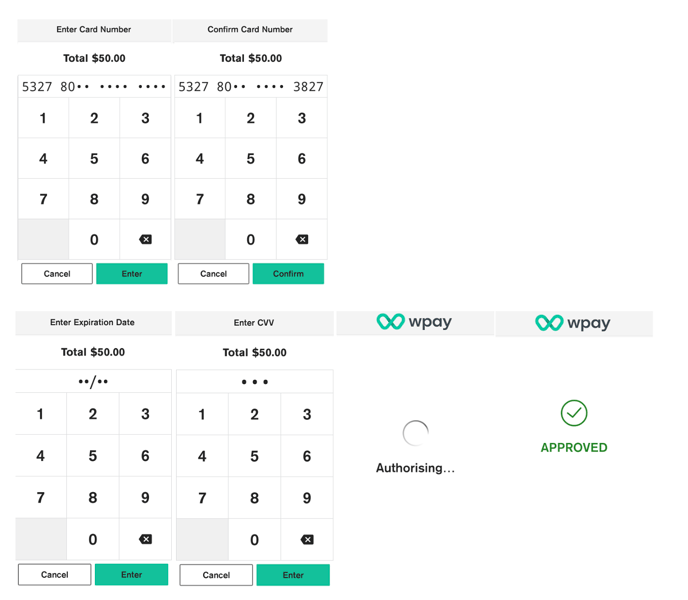
To process MOTO - your customers don’t need to be in your store to pay you. You can process
card-not-present ‘MOTO’ (mail-order, phone-order) transactions on your Android terminal.
To process MOTO transactions, you will need a card-not-present facility with the bank that
provides your merchant facility and your manager or cashier passcode (if applicable). \
- Enter the transaction amount
- Tap Other
- Tap Manual Card Entry
- Tap Mail Order or Phone Order
- Enter the card number, tap Enter and then tap Confirm
- NOTE: For your customer’s security, your terminal won’t display the full card number on screen while you type it in.
- Enter the card expiration date in the format MM/YY.
- Your terminal processes the transaction and then displays Approved or Declined.
- Select PRINT to print customer receipt, or NO THANKS to continue back to the payment screen.